
UX / UI / Product Design
Improving the ownship customization flow in the ForeFlight app
A contextual redesign of the Ownship icon customization flow that improved feature discoverability by 92% and reduced time-to-customize from 10 seconds to 3 seconds.
Role
Product Designer
Platform
iPad and iPhone
Team
Product, Engineering, Design
Research
5 pilot interviews
KEY OUTCOMES
Discoverability
92%
Improvement in feature discoverability
Time-to-customize
10 → 3s
Reduction in time-to-customization
Satisfaction
100%
Positive usability feedback
SITUATION
A critical navigation element that was difficult to customize
Pilots rely heavily on the Ownship icon as their primary spatial reference during flight planning and navigation. While ForeFlight supported limited customization, research revealed the feature was difficult to discover, poorly named, and visually insufficient across different chart types.
The customization entry point was buried four levels deep in Settings, labeled in a way that didn't align with pilot terminology. The single available color — ForeFlight Blue — often lacked sufficient contrast when multiple chart layers were loaded, impacting visibility in high-information map views.
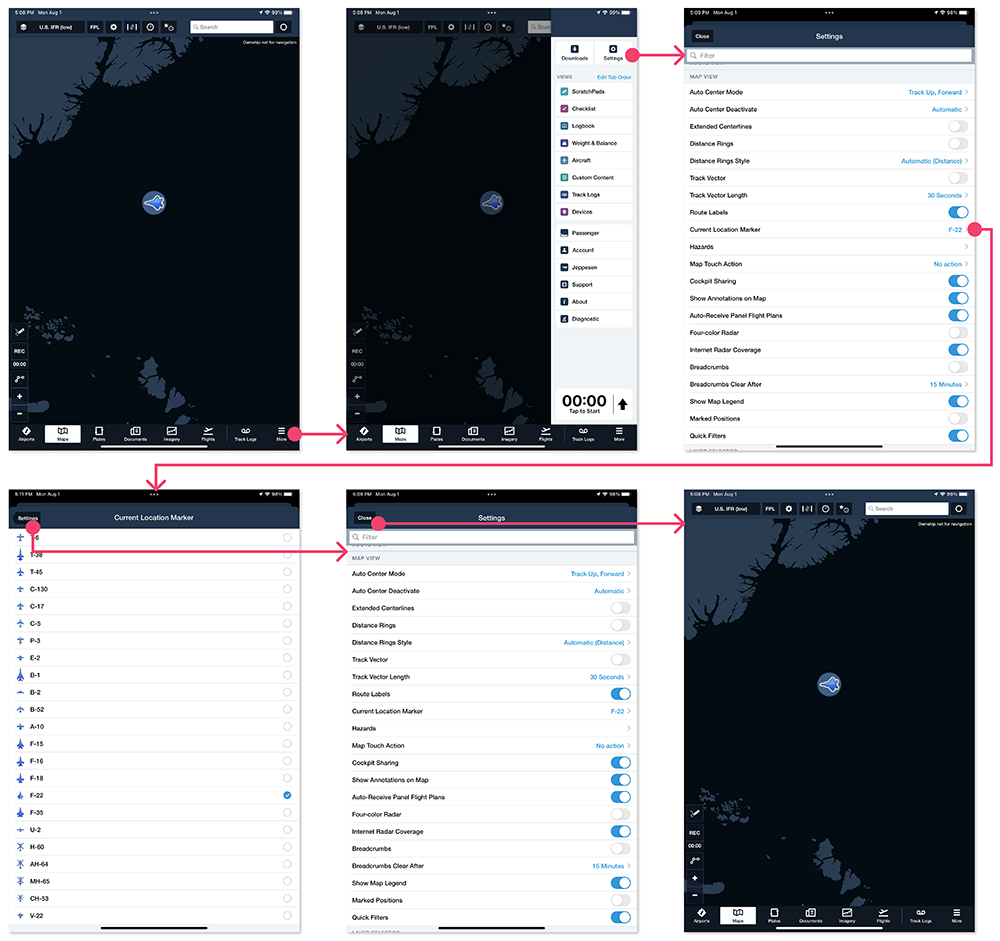
The existing entry point was buried four levels deep in Settings — misaligned with how pilots naturally think about their map view.
TASK
Improve discoverability, contrast, and contextual accuracy for both major form factors
- Improving feature discoverability (baseline: buried 4 levels deep)
- Aligning terminology and interaction patterns with pilot mental models
- Increase icon visibility and contrast across common chart combinations
- Deliver a scalable solution across iPad Mini and iPhone, the two most-used form factors
n = 5
Pilot interviews confirming two recurring pain points.
2 pain points
Discoverability of settings and insufficient contrast on certain charts
TASK
Research, exploration, iteration, and a strategic pivot
VISUAL EXPLORATION & CONTRAST TESTING
I introduced an initial set of six pilot-recommended colors and pressure-tested them across a representative range of aviation charts — sectional, IFR, and satellite-based layers. The goal was to identify colors that failed accessibility contrast thresholds on specific charts and combinations that degraded legibility in day and night conditions.
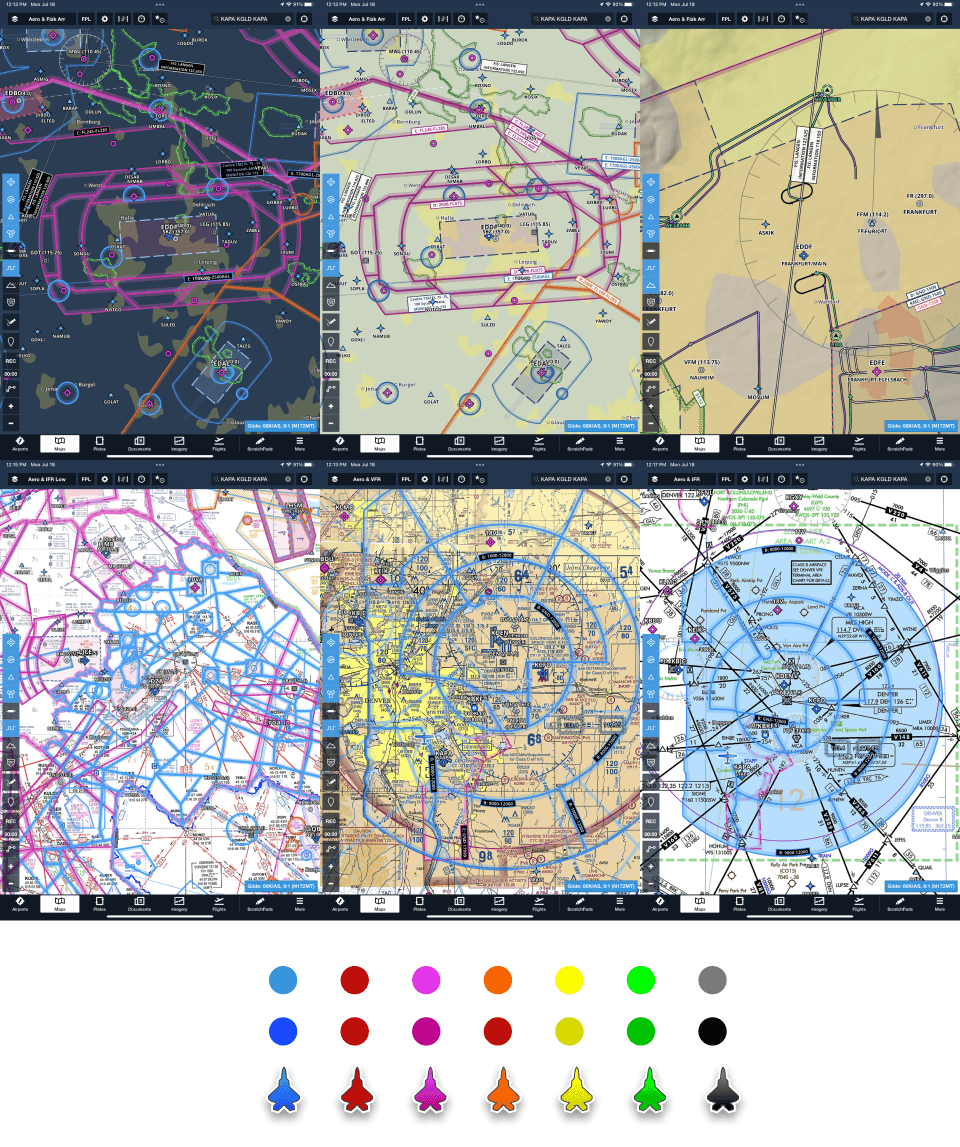
Initial color explorations pressure-tested across sectional, IFR, and satellite charts to identify contrast failures before moving into interaction design.
Extended color matrix with contrast variations
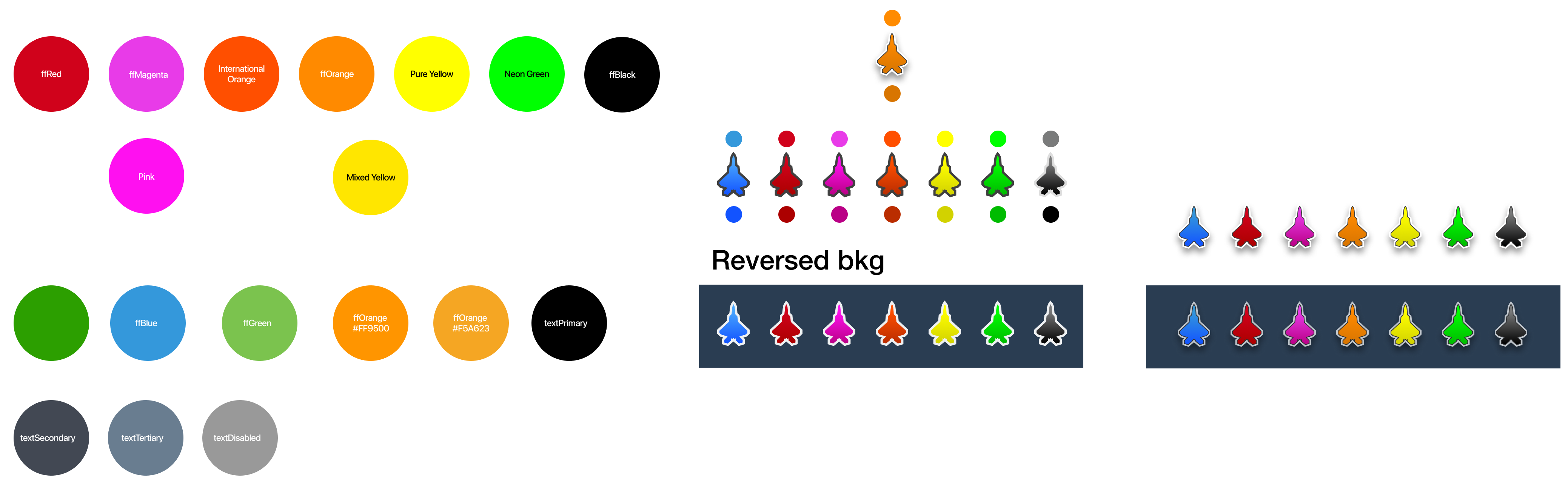
Extended color matrix including reversed, drop shadow, and stroke variations — each evaluated against real chart backgrounds.
ITERATIVE DESIGN & VALIDATION — TWO DIRECTIONS
I explored two initial design directions within existing ForeFlight UI paradigms, both introducing a map preview that let pilots test icon changes against predefined chart types.
Version 1
All options in a single view
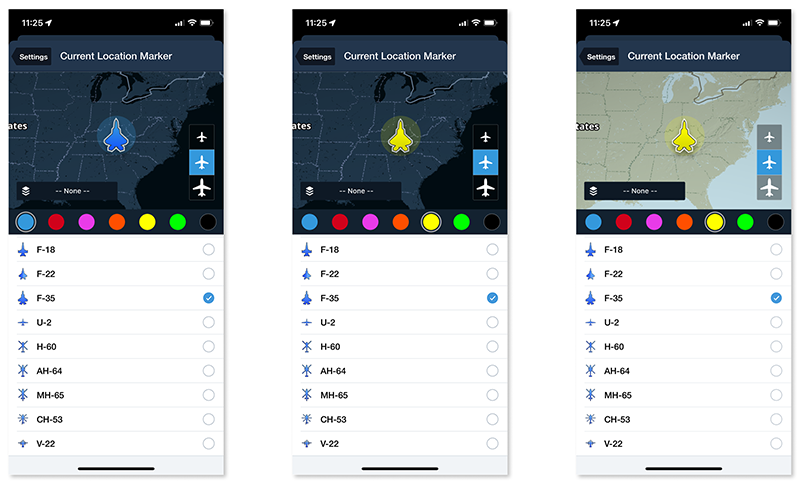
Consolidated shape, color, and size into one screen. Simpler flow but less room for context-aware preview.
Version 2
Segmented controls by attribute
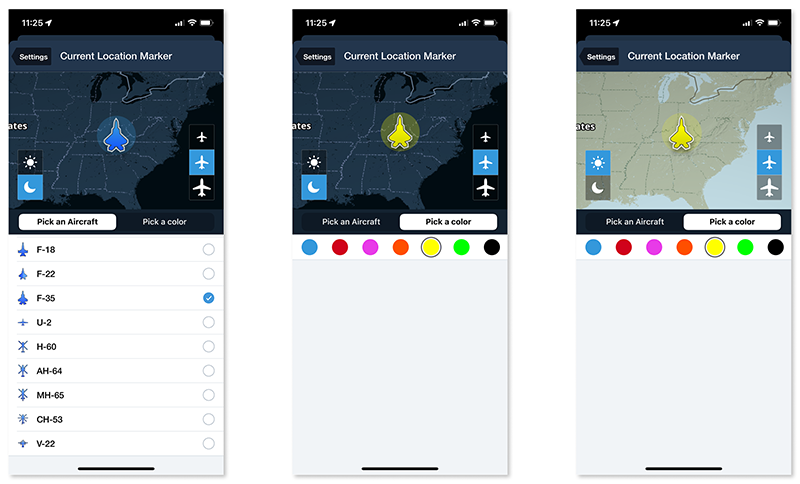
Separated shape, color, and size into tabs. More organized but added navigation overhead.
Usability tests showed strong qualitative feedback with 80% task success — but surfaced a critical limitation: the preview maps didn't reflect the pilot's actual active charts and layers. A pilot flying with custom overlays couldn't validate their icon choice in real context.
STRATEGIC PIVOT
From settings-based to contextual, map-based customization
To address the preview gap, I proposed shifting from a settings-based model to a contextual experience — enabling customization directly from the map by tapping the Ownship icon. I reused ForeFlight's established side drawer UI pattern, which minimized engineering complexity while delivering a fundamentally better experience.
Steps reduced
4+ taps → 1 tap
Preview context
Live map view
Pattern reuse
Existing side drawer
On iPad, tapping the ownship icon opens a contextual drawer from the right, keeping the active map visible while pilots customize the aircraft type, size, and color.
RESULTS
Discoverability
92%
Improvement in feature discoverability measured via usability testing
Time-to-customize
70%
Faster customization after contextual drawer replaced buried settings
Satisfaction
100%
Positive usability feedback across follow-up testing sessions
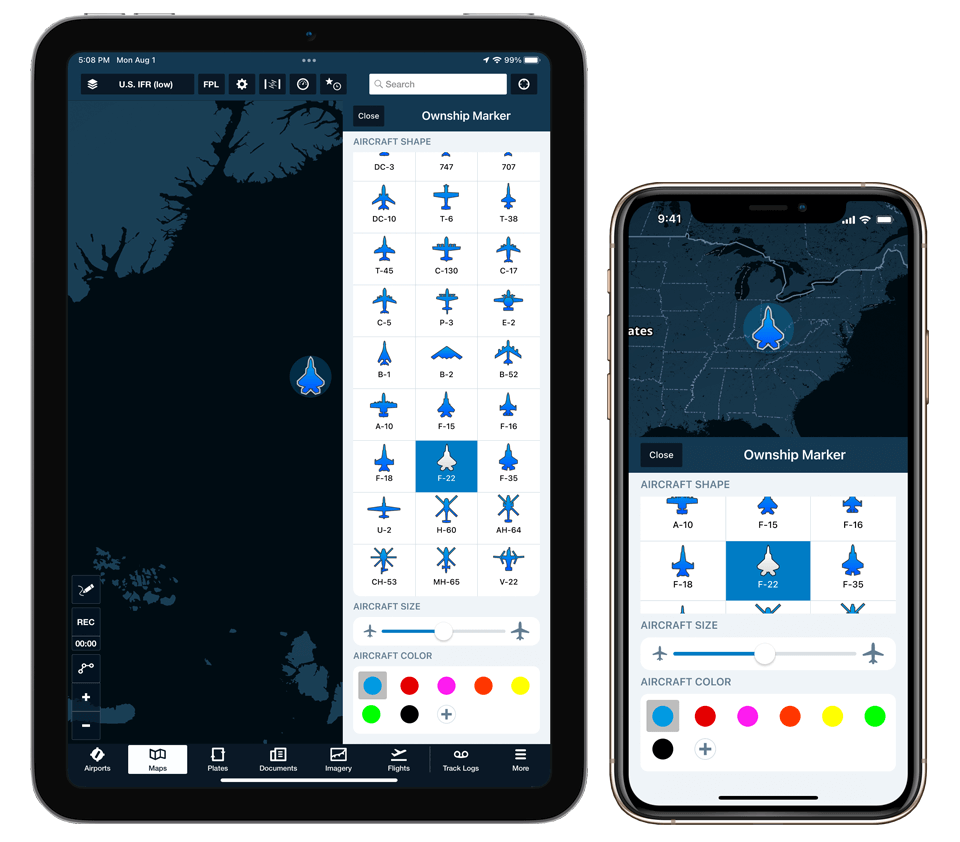
Final MVP across iPad Mini and iPhone 12 — consistent experience adapted to each form factor's layout constraints.
REFLECTION
The best UX fix is often a location change, not a UI change
The core insight from this project was that the feature itself wasn't broken — it was just in the wrong place. Moving customization from a buried settings screen to a direct tap on the map didn't require redesigning the controls. It required understanding where pilots' attention actually was. The strategic pivot to a contextual drawer was only possible because we validated the settings-based approach first and identified exactly why it fell short. That iteration wasn't wasted — it gave us the evidence to make a bigger, better call.